官方网站:http://nginx.org/
这里安装的是1.26.3
先下载对应源码版本

然后tar -zxvf nginx-1.26.3.tar.gz 成功
进入目录 nginx-1.26.3 ,输入以下命令
./configure \
--prefix=/usr/local/nginx \
--sbin-path=/usr/local/nginx/sbin/nginx \
--conf-path=/usr/local/nginx/conf/nginx.conf \
--error-log-path=/usr/local/nginx/logs/error.log \
--http-log-path=/usr/local/nginx/logs/access.log \
--pid-path=/usr/local/nginx/logs/nginx.pid \
--with-http_stub_status_module \
--with-http_ssl_module \
--with-http_gzip_static_module \
--with-pcre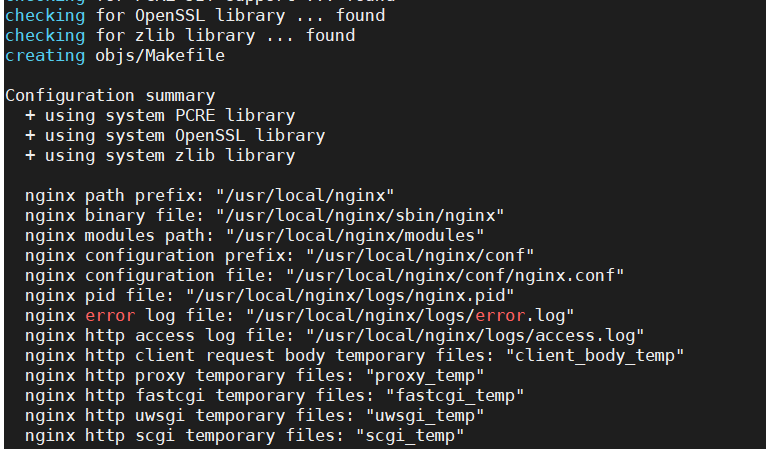
出现以上数据,则是成功了
参数详细解读
| 参数 | 作用 | 为什么重要 |
|---|---|---|
--prefix=/usr/local/nginx | 定义 Nginx 的安装根目录。所有其他路径如果未指定绝对路径,都会基于此目录。 | 这是把 Nginx 所有文件集中管理的“家”目录,便于后期维护和卸载。 |
--sbin-path=.../nginx | 指定 Nginx 主程序(可执行文件)的存放路径。 | 明确 nginx 命令的位置,方便配置系统环境变量或通过脚本启停。 |
--conf-path=.../nginx.conf | 指定 Nginx 主配置文件的路径。 | Nginx 启动时会从这个位置读取配置。明确路径可以避免因找错配置文件导致的混乱。 |
--error-log-path=.../error.log | 指定错误日志的存放路径。 | 当 Nginx 运行异常时,这里是第一排查点。 |
--http-log-path=.../access.log | 指定访问日志的存放路径。 | 记录了所有客户端请求的详细信息,用于流量分析和安全审计。 |
--pid-path=.../nginx.pid | 指定 Nginx 主进程ID文件的路径。 | 系统服务管理脚本(如 systemctl)需要通过这个文件找到 Nginx 主进程,向其发送管理信号(如重载配置)。 |
--with-http_stub_status_module | 启用 Nginx 状态监控模块。 | 会提供一个简单的 HTTP 页面,显示 Nginx 当前的活跃连接数、请求总数等关键状态信息,用于实时监控。 |
--with-http_ssl_module | 启用 HTTPS 支持模块。 | 生产环境必备。没有它,Nginx 就无法处理 443 端口的加密连接,无法配置 SSL 证书。 |
--with-http_gzip_static_module | 启用 静态 Gzip 压缩模块。 | 允许 Nginx 直接发送预压缩好的 .gz 文件(如 CSS、JS),可以节省 CPU 并加快传输速度。 |
--with-pcre | 强制使用 PCRE 库。 | PCRE 是 Perl 兼容的正则表达式库。Nginx 的核心功能(如 location 匹配、重写规则)都依赖它进行正则处理。 |
然后 make make install
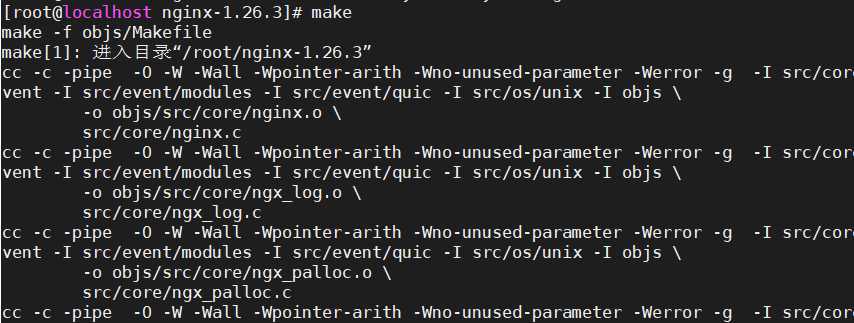
接着,就可以通过systemctl管理nginx服务了。
启动 Nginx
vim /etc/systemd/system/nginx.service写入一下内容
[Unit]
Description=The NGINX HTTP and reverse proxy server
After=network.target

[Service]
Type=forking
PIDFile=/usr/local/nginx/logs/nginx.pid
ExecStartPre=/usr/local/nginx/sbin/nginx -t
ExecStart=/usr/local/nginx/sbin/nginx
ExecReload=/usr/local/nginx/sbin/nginx -s reload
ExecStop=/usr/local/nginx/sbin/nginx -s stop
PrivateTmp=true

[Install]
WantedBy=multi-user.target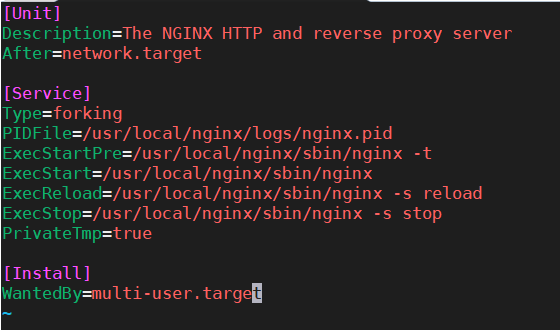
systemctl daemon-reload
systemctl start nginx      # 启动
systemctl reload nginx     # 重载
systemctl enable nginx     # 开机自启
ps -ef | grep nginx #成功了
systemctl status nginx.service #已经成功了
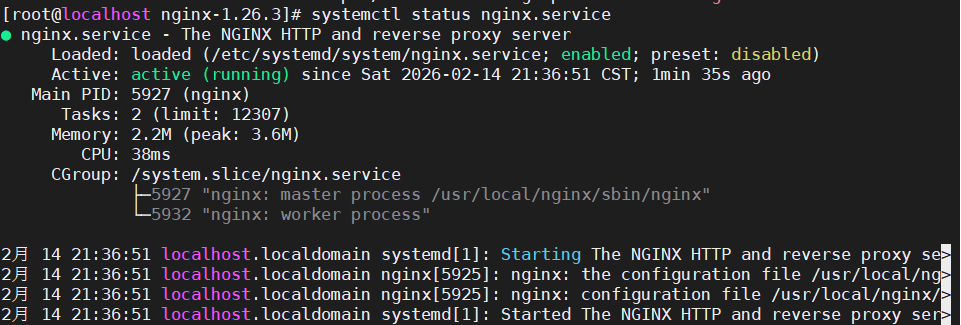
测试访问
curl http://localhost netstat -tnlp | grep 80##检查端口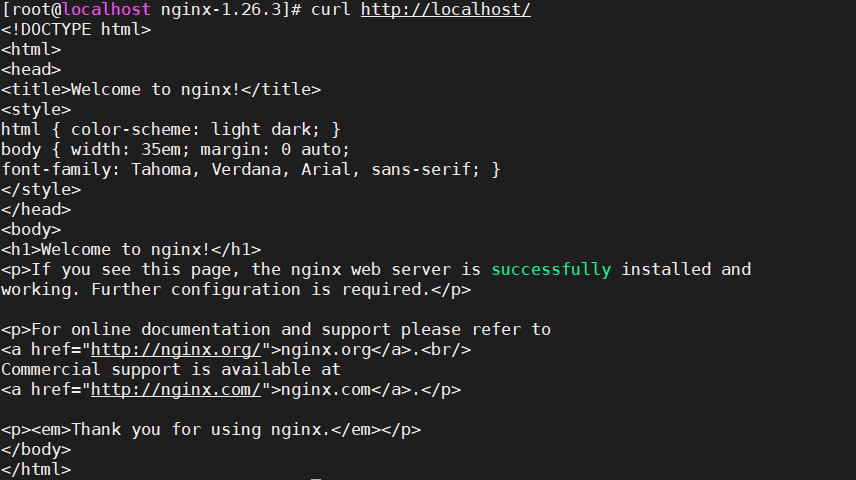

Nginx安装完毕后,会产生相应的安装目录,根据前面的安装路径,Nginx的配置文件路径为/usr/local/nginx/conf,其中nginx.conf为Nginx的主配置文件。这里重点介绍下nginx.conf这个配置文件。
Nginx配置文件默认有五个部分组成:分别是main、events、http、server和location,其中,main部分设置的指令将影响其他所有设置;events部分用来配置影响nginx服务器或与用户的网络连接;http部分可以嵌套多个server,主要用来配置代理,缓存,自定义日志格式等绝大多数功能和第三方模块的配置,server部分用于配置虚拟主机的相关参数;location部分用于配置请求的处理规则,以及各种页面的处理情况。这五者之间的关系是:main与events平级,一个http中可以有多个server,server继承main,location继承server。
发表回复